

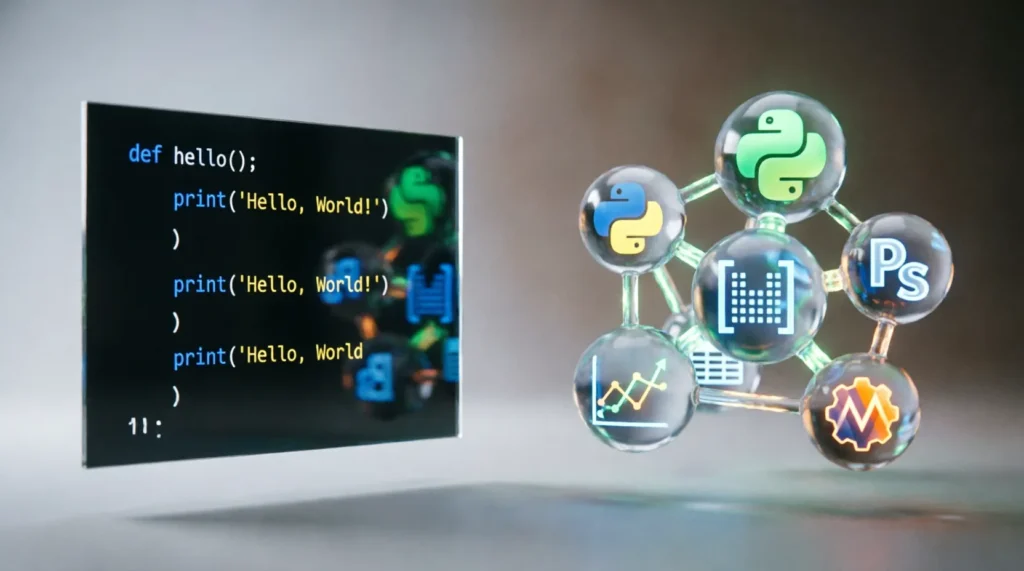
Quick answer: Python is the programming language itself, while Anaconda is a distribution package that bundles Python with pre-installed libraries and tools for data science. You install Anaconda to get Python plus a curated ecosystem; you do not choose one “instead” of the other.
Newcomers to coding often stumble over this distinction because both names appear in installation guides, job postings, and tutorial headers. I have reviewed hundreds of beginner portfolios and seen this confusion repeatedly: candidates list “Python” and “Anaconda” as separate, competing skills on their resumes, when in reality, one contains the other. Understanding this hierarchy saves you from installing redundant software and helps you communicate your technical stack accurately to hiring managers.
| Term | Meaning / When to use | Example sentence |
|---|---|---|
| Python | The core programming language interpreter. Use this term when discussing syntax, general-purpose coding, or web development. | “I wrote a script in Python to automate my weekly email reports.” |
| Anaconda | A distribution of Python that includes the interpreter plus data science libraries (like NumPy and Pandas) and a package manager. Use this term when referring to the specific toolkit for data analysis. | “I used Anaconda to manage my environments so I wouldn’t break my other projects.” |
When to use Python
You use the term “Python” when you are referring to the language’s core capabilities, its syntax, or its application in fields outside of heavy data science. Python is a high-level, general-purpose programming language. According to the concept of Difference, distinguishing between a base tool and a specialized kit is crucial for clarity. In this case, Python is the base tool.
If you are building a website using Django, creating a game with Pygame, or writing a simple automation script to rename files on your desktop, you are using Python. You do not need the heavy overhead of Anaconda for these tasks. In fact, many professional web developers prefer installing a lightweight version of Python directly from python.org to keep their systems clean and fast.
Here are three real-world scenarios where you should strictly refer to “Python”:
- The Cover Letter: “Proficient in Python for backend API development and database integration.” (Note: Mentioning Anaconda here might confuse a hiring manager looking for a web developer, as it signals a data science focus.)
- The Code Comment:
# This Python function calculates the factorial of a number. - The Job Description Requirement: “Must have 3+ years of experience with Python and JavaScript.”
When to use Anaconda
You use the term “Anaconda” when you are specifically talking about the distribution platform that simplifies the management of data science packages. Anaconda is not a different language; it is a way to get Python along with over 1,500 data science packages pre-installed. It includes Conda, a powerful package and environment manager that handles dependencies much more gracefully than the standard pip installer.
Think of Anaconda as a “starter pack” for data scientists. Instead of installing Python, then struggling to install NumPy, then fighting with SciPy, then trying to get Jupyter Notebooks to work, you install Anaconda once. Everything works together out of the box. This is why it is the industry standard for academic research and enterprise data analysis.
Here are three real-world scenarios where you should strictly refer to “Anaconda”:
- The Resume Skill Section: “Experienced with Anaconda Navigator for managing multiple virtual environments and deploying Jupyter Lab instances.”
- The Team Stand-up Update: “I’m setting up a new Anaconda environment for the machine learning project so we can isolate our TensorFlow version from the production server.”
- The Troubleshooting Forum Post: “My Anaconda prompt isn’t recognizing the new library I installed via pip; should I use conda install instead?”
How to remember the difference
The most effective mnemonic I share with junior developers is the “Smartphone vs. Apps” analogy.
Python is the smartphone. It is the device that makes everything possible. Without the phone, you have no apps. Without Python, you have no code execution.
Anaconda is the ‘Pro Photographer’ bundle. Imagine buying a phone that comes pre-loaded with every high-end camera lens, editing software, and cloud storage subscription you could possibly need for photography. You didn’t just buy a phone; you bought a specialized kit for a specific purpose.
If someone asks, “Do you have a phone?” you say, “Yes, I have an iPhone (Python).” If someone asks, “Do you have the tools to shoot a professional wedding?” you say, “Yes, I have the Pro Photographer Bundle (Anaconda).”
Another quick trick: Look at the name. Anaconda is a large snake that contains things. In the tech world, it contains Python. If you are doing anything related to data, statistics, or machine learning, think of the big snake swallowing the libraries whole. If you are just writing basic logic, think of the sleek, standalone Python logo. For more, see Anaconda.
Common mistakes and exceptions
One of the most frequent errors I see in technical interviews is when a candidate claims they “know Anaconda but not Python.” This is logically impossible. You cannot use Anaconda without using Python. It is like saying you know how to drive a Ford F-150 but you don’t know how to drive a truck. The distribution is merely the vehicle; the language is the engine.
The “Lightweight” Exception
While Anaconda is excellent for data science, it is notoriously heavy. A full Anaconda installation can take up several gigabytes of space. For developers working on embedded systems, cloud functions (like AWS Lambda), or simple microservices, installing the full Anaconda distribution is overkill and often discouraged. In these cases, developers use “Miniconda,” which is a minimal installer for Conda that only includes Python and essential packages. If you are optimizing for speed and space, you skip the full Anaconda suite and stick to bare-metal Python or Miniconda.
US vs. UK Spelling Note
Unlike words such as “color/colour” or “analyze/analyse,” the terms “Python” and “Anaconda” are proper nouns and brand names. They do not change spelling based on region. Whether you are writing for a London-based fintech startup or a Silicon Valley AI lab, you always spell them Python and Anaconda. There is no “Pythons” vs “Pythons” debate here; the capitalization and spelling remain constant globally.
The Version Confusion
A subtle mistake occurs when discussing versions. Python has versions (3.9, 3.10, 3.11). Anaconda also has release dates (Anaconda3 2023.07, etc.). Beginners often confuse the two. If a tutorial says “Update your Python,” it might mean updating the language interpreter within your Anaconda distribution using the command conda update python. It does not necessarily mean you need to uninstall Anaconda and download a new version of the distribution. Keeping these versioning systems distinct in your mind prevents catastrophic environment breaks.
Frequently Asked Questions
Can I use Python without installing Anaconda? Yes, absolutely. You can download the standard Python installer from python.org, which gives you the core language and the pip package manager. This is preferred for web development, game design, and general-purpose scripting where data science libraries are not required.
Is Anaconda free to use? For individual users, students, and small businesses (under 200 employees), Anaconda is free. However, large enterprises must purchase a commercial license to use Anaconda’s repositories and tools legally. Always check the current terms of service if you are working in a corporate environment.
Which one should I learn first as a beginner? Start with standard Python to understand the syntax, loops, and functions without the distraction of complex data libraries. Once you are comfortable with the basics and want to move into data analysis or machine learning, install Anaconda to access the specialized tools easily.
Does installing Anaconda delete my existing Python installation? No, installing Anaconda does not automatically delete a previous Python installation. However, it may change your system’s PATH variables, meaning your terminal might default to the Anaconda version of Python. You can manage both installations side-by-side, but you must be careful to specify which interpreter you are using in your code editor.

Margaret Walker is an accomplished linguist with over two decades of experience specializing in historical linguistics and word comparisons. With a Ph.D. in Linguistic Anthropology from Harvard University, her career has been marked by her comprehensive studies in language variation and change, particularly in English dialects and regional word patterns. Margaret’s interest in the evolution of language and its social implications drew her to focus on comparing words and phrases that exhibit regional differences and their origins. Her articles are known for their depth in exploring how historical events and cultural shifts influence language changes. At CompareMyWords, Margaret examines and writes on comparative semantics, dialectal diversity, and previously undocumented lexical items, bringing a historical perspective to contemporary issues in language.